Category: Uncategorized

  • What Is IDC Architecture? Internet Data Center Design Explained

    What Is IDC Architecture? Internet Data Center Design Explained

    Quick answer: IDC architecture is the design of an Internet Data Center — a facility that houses servers, storage, and networking to deliver internet and cloud services. The architecture spans the physical layout, power and cooling systems, network topology, and redundancy that together determine the facility’s capacity, efficiency, and reliability.

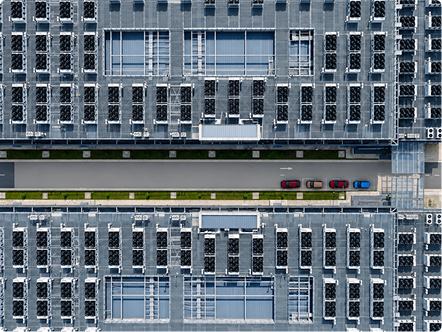
    Rows of racks inside an Internet Data Center (IDC) facility

    Behind every website, app, and cloud service is a building most people never see: a data center. In much of the world — particularly across Asia — these facilities are known as Internet Data Centers, or IDCs. Understanding IDC architecture means understanding how such a facility is structured to keep digital services running reliably, efficiently, and at scale.

    What is an Internet Data Center (IDC)?

    An Internet Data Center is a facility built to house the computing infrastructure that delivers internet-based services. That includes the servers that process and store data, the storage systems that hold it, and the networking equipment that moves it to and from users. “IDC” and “data center” are often used interchangeably; the IDC term simply emphasises the facility’s role in delivering internet and cloud services, and it remains the common phrasing across many APAC markets.

    What turns a room full of servers into a true IDC is the surrounding architecture — the deliberate design of power, cooling, networking, and physical space that keeps those servers available around the clock.

    The core layers of IDC architecture

    A useful way to understand data center architecture basics is to think in layers, each one supporting the one above it.

    • Facility and physical layer. The building itself: the site, structure, security, raised floors or slab, and the physical layout of rooms and racks. It sets the constraints everything else works within — how much equipment can be housed and how much power and cooling can be delivered.
    • Power layer. Utility power enters the facility and must be transformed, distributed, conditioned, and backed up. This layer includes switchgear, uninterruptible power supplies (UPS) for clean, continuous power, and backup generators that take over during a grid outage. Power is mission-critical — any interruption risks downtime.
    • Cooling layer. Every watt of power delivered to IT equipment becomes heat that must be removed. The cooling layer — air handling, chilled water, and increasingly liquid cooling for higher densities — keeps equipment within safe operating temperatures.
    • Network layer. The connectivity fabric: the switches, routers, and cabling that link servers to each other and to the outside world, along with the redundant internet connections that keep the facility reachable.
    • IT and compute layer. At the top sit the servers, storage arrays, and the workloads they run. This is the layer that actually delivers value; everything below exists to keep it running.

    Tiers and redundancy

    Not all IDCs are built to the same standard of reliability. The industry uses a tier classification — Tier I through Tier IV — to describe how much redundancy a facility has and, therefore, how much downtime it can avoid. Higher tiers add duplicate power and cooling paths so that equipment can fail or be maintained without taking services offline. Choosing a tier is a balance between cost and the availability a business actually needs.

    Redundancy is the mechanism behind those tiers, usually expressed as configurations like N+1 or 2N — shorthand for how much spare capacity is built in.

    How IDC architecture is evolving for AI

    Traditional IDC architecture was designed around racks drawing perhaps 5–15 kW, with air cooling and modest, steady workloads. Artificial intelligence is straining that model. AI racks can draw 40–100 kW or more, generating heat that conventional cooling can’t handle and demanding far more power per square metre.

    As a result, IDC design is evolving: liquid cooling is moving from optional to essential, power architecture is being rethought for sustained heavy loads, and structural and density assumptions are being revisited. The gap between a traditional IDC and a purpose-built AI facility is now wide enough to be a category of its own — see our explainer on what makes an AI data center different.

    IDC, colocation, and cloud: how the terms relate

    Because the vocabulary overlaps, it helps to separate three related ideas. An IDC describes the type of facility — one built to deliver internet and cloud services. Colocation describes a business model, in which an operator rents space, power, and cooling inside a data center to customers who install their own equipment; a colocation facility is still an IDC architecturally. Cloud describes how computing is consumed — on-demand, as a service — and runs on top of physical data centers, whether owned by the cloud provider or leased. In short, IDC is the building, colocation is one way to sell its capacity, and cloud is a way to deliver services from it. The architecture underneath is the common foundation all three depend on.

    Designing IDC architecture well

    Good IDC architecture is ultimately about balancing four goals: capacity (enough power, space, and cooling for the workloads), efficiency (delivering that capacity without wasting energy or water), reliability (the right level of redundancy for the services it hosts), and scalability (room to grow in repeatable, prefabricated increments without rebuilding from scratch). Strong designs make these trade-offs deliberately rather than by accident, and they leave room to adapt as workloads — especially AI — continue to change.

    The foundation everything runs on

    IDC architecture is the blueprint that turns hardware into dependable digital services. Its layers — facility, power, cooling, network, and compute — work together to deliver capacity reliably and efficiently, while tiers and redundancy define how resilient the result is. As AI reshapes what data centers must handle, that architecture is being rethought from the ground up.

    To go deeper, explore EPG’s IDC solution, or see how traditional IDC design compares with a purpose-built AI data center.
  • What Is a Prefabricated Modular Data Center?

    What Is a Prefabricated Modular Data Center?

    Quick answer: A prefabricated modular data center is a facility built from standardized, factory-assembled building blocks — modules for IT, power, cooling, and backup generation — that are manufactured and tested off-site, then shipped and connected on location. The approach cuts deployment time, improves quality control, and lets operators scale capacity in repeatable increments.

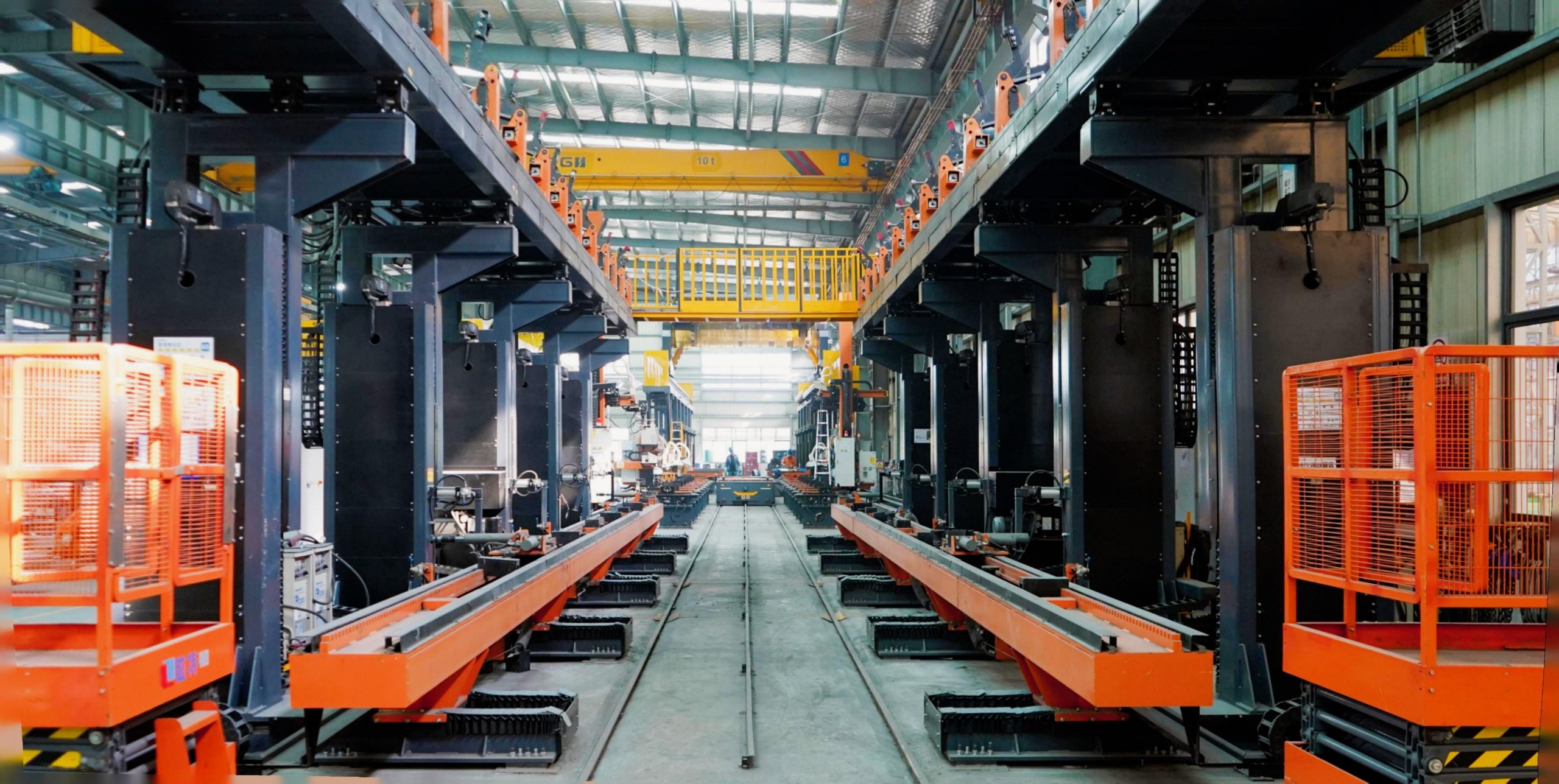
    Prefabricated modular data center units deployed on site

    Demand for data center capacity is rising faster than the industry can build it the traditional way. AI, cloud, and edge workloads all need infrastructure online in months, not years — and that pressure has pushed a different construction model into the mainstream. Understanding what a modular data center is, and why “prefabricated” matters, is the starting point for anyone weighing how to deploy capacity quickly and predictably.

    What “prefabricated” and “modular” actually mean

    The two words describe two related ideas.

    Modular means the data center is composed of standardized, self-contained building blocks rather than one monolithic, custom-built structure. Each block performs a defined function and connects to the others through standardized interfaces.

    Prefabricated means those blocks are manufactured and assembled in a factory — not constructed piece by piece on the customer’s site. The modules arrive largely complete and pre-tested, ready to be positioned and connected.

    Put together, a prefabricated modular data center (sometimes shortened to PFM data center or MDC) is a facility delivered as a kit of factory-built, repeatable parts. It is the difference between assembling a building on-site from raw materials and clicking together components that were already built and verified in controlled conditions.

    The building blocks: the core modules

    Most prefabricated data centers are assembled from a handful of module types, each handling one job:

    • IT module — the white space that houses server racks, the compute and storage that actually run workloads.
    • Power module — transforms, distributes, and protects incoming electrical supply, including UPS systems for clean, uninterrupted power.
    • Cooling module — removes the heat the IT equipment generates, increasingly using liquid cooling for high-density AI racks.
    • Genset module — backup generation that keeps the facility running through a grid outage.

    Because each module is standardized, operators can combine them in different quantities and configurations to match a specific capacity target, then add more later as demand grows.

    How a prefabricated data center is built

    The defining feature of the model is where the work happens. In a traditional build, electrical, mechanical, and structural trades all converge on the construction site, often working in sequence and weather-permitting. In the prefabricated model, the modules are built on a factory production line, wired, fitted, and crucially tested before they ever leave through a process called factory acceptance testing (FAT).

    By the time a module reaches the site, the vast majority of its assembly and verification is already done. On-site work is reduced to positioning the modules, making the connections between them, and final commissioning. The result is faster deployment, fewer surprises in the field, and the consistent quality that comes from building in a controlled environment rather than an open construction site.

    Why operators choose prefabrication

    The appeal of the modular data center meaning comes down to four practical advantages:

    • Speed. Factory pre-assembly and testing can compress deployment timelines dramatically compared with conventional construction, helping operators bring compute online far sooner.
    • Quality and predictability. Building in a factory means repeatable processes, tighter tolerances, and problems caught before delivery rather than during installation.
    • Scalability. Because capacity comes in standardized increments, operators can start small and add modules in phases — pacing investment against actual demand.
    • Flexibility of location. Modules can be deployed where capacity is needed, including space-constrained or remote sites that wouldn’t suit a large traditional build.

    Is a prefabricated data center the same as a container?

    This is a common point of confusion. A containerized data center — built inside a standard shipping container — is one form of prefabricated modular data center, but not the only one. Prefabrication also includes skid-mounted modules and larger purpose-built modules that don’t use a container shell at all. The container is a packaging choice; prefabrication is the underlying build philosophy of manufacturing and testing off-site. So every containerized data center is prefabricated, but not every prefabricated data center is a container. The key takeaway is that “modular” describes how the facility is composed and delivered, not a single physical shape.

    Where prefabricated data centers fit

    The model suits any situation where speed, consistency, or phased growth matters. That increasingly means AI deployments, where capacity demand outstrips the pace of conventional construction; edge sites, where compact, rapidly deployable infrastructure brings computing closer to users; and hyperscale expansion, where operators roll out repeatable capacity blocks across many locations. In each case, the ability to manufacture, test, and ship a known-good building block is what makes growth manageable.

    A faster, more predictable path to capacity

    A prefabricated modular data center reframes construction as manufacturing: standardized, factory-built, pre-tested modules that arrive ready to connect. For organisations racing to deploy AI and cloud capacity, that shift from slow, custom construction to fast, repeatable assembly is often the difference between meeting demand and missing it.

    To explore further, see EPG’s Edge Computing and prefabricated data center solutions, or look closer at the IT Module that forms the compute core of a modular build.

  • Direct-to-Chip vs Immersion vs Rear-Door: A Liquid Cooling Comparison

    Direct-to-Chip vs Immersion vs Rear-Door: A Liquid Cooling Comparison

    Quick answer: Direct-to-chip cooling pipes liquid through cold plates mounted on the chip; immersion cooling submerges whole servers in a non-conductive fluid; rear-door heat exchangers cool exhaust air at the back of the rack. Direct-to-chip is the most common and easiest to retrofit, immersion handles the highest densities, and rear-door is the simplest entry point into liquid cooling.

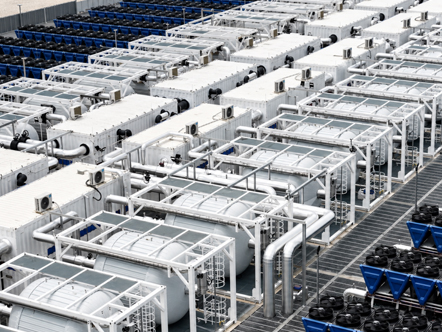
    EPG liquid cooling module for high-density AI data center racks

    Once a data center accepts that air cooling can’t keep up with AI workloads — a shift we cover in why AI workloads are forcing data centers to go liquid — the next question is which liquid cooling method to use. There isn’t a single right answer. The three mainstream approaches each suit different densities, budgets, and facilities. This guide compares direct-to-chip vs immersion cooling, alongside rear-door heat exchangers, so you can see where each one fits.

    The three main liquid cooling types

    All liquid cooling shares one principle: a liquid carries heat away far more efficiently than air. Where the liquid cooling types differ is in how close the liquid gets to the chip, and how much of the server it cools.

    Direct-to-chip (cold plate) cooling

    Direct-to-chip cooling — also called cold plate cooling — runs coolant through metal plates pressed directly onto the hottest components, typically CPUs and GPUs. The plate absorbs heat at the source and carries it away in a closed loop to a coolant distribution unit (CDU), which rejects it to the facility’s water system.

    It is the most widely adopted liquid cooling method today, and for good reason. It targets the components that produce the most heat, integrates into broadly familiar rack designs, and can often be deployed alongside existing air cooling for the lower-power parts of a server. That makes it comparatively straightforward to adopt and to retrofit into existing halls.

    The trade-off is that direct-to-chip doesn’t cool everything — memory, drives, and other components may still need some airflow — so it is frequently run as part of a hybrid air-plus-liquid design.

    Immersion cooling

    Immersion cooling takes a more total approach: entire servers are submerged in a tank of non-conductive dielectric fluid that absorbs heat from every component at once. With no air gaps and no need for server fans, it captures heat extremely effectively and supports the very highest rack densities.

    Immersion comes in two forms. Single-phase immersion keeps the fluid liquid throughout, circulating it to a heat exchanger. Two-phase immersion uses a fluid that boils on contact with hot components and condenses back into liquid — a cycle that handles enormous heat loads but adds complexity and cost.

    The strengths are clear: outstanding heat capture, very high density, near-silent operation, and excellent efficiency. The trade-offs are equally real: tanks require purpose-built infrastructure, servicing hardware means dealing with fluid, and fluid and facility costs can be high. Immersion tends to make most sense for the densest, most specialised deployments rather than as a general-purpose default.

    Rear-door heat exchangers

    A rear-door heat exchanger replaces the back door of a rack with a liquid-cooled radiator. Hot air from the servers passes through it on the way out, transferring heat to the liquid before the air re-enters the room. The servers themselves are unchanged — the cooling is applied at the rack boundary rather than at the chip.

    This makes rear-door cooling the gentlest entry point into liquid cooling. It needs no changes to the servers, works with existing equipment, and meaningfully raises the density a rack can support. Its ceiling is lower than direct-to-chip or immersion, so it is often used as a transitional step or for moderately dense racks rather than the most extreme AI loads.

    Comparison at a glance

    Factor Direct-to-chip (cold plate) Immersion Rear-door heat exchanger
    How it cools Liquid plates on CPUs/GPUs Servers submerged in fluid Liquid radiator on rack door
    Density supported High Highest Moderate to high
    Retrofit ease Moderate Hard (new infrastructure) Easiest
    Server changes Some (plates, manifolds) Significant (fluid-compatible) None
    Maintenance Familiar, with liquid loop Handling fluid required Familiar
    Best fit Mainstream high-density AI Densest, specialised builds First step into liquid

    Which liquid cooling method is right for you?

    The choice usually comes down to three questions: how dense are your racks, how much can you change the facility, and how far do you want to go right now? Rear-door cooling is the easiest way to start and suits moderately dense racks with minimal disruption. Direct-to-chip is the pragmatic mainstream choice for most high-density AI deployments, balancing strong performance with manageable adoption. Immersion is the option when density and efficiency requirements are extreme enough to justify purpose-built infrastructure.

    In practice, many facilities adopt more than one — for example, rear-door or direct-to-chip across most of the hall, with immersion reserved for the densest racks. The decision also interacts with how much air cooling remains in the mix.

    Matching method to workload

    There is no universally “best” liquid cooling method — only the right fit for a given density, facility, and timeline. Direct-to-chip leads on versatility, immersion on raw capability, and rear-door on simplicity. Getting the choice right early shapes cost, efficiency, and how easily you can scale.

    To go further, explore EPG’s Cooling Solution for a liquid-first approach to AI heat, revisit why AI workloads are pushing data centers toward liquid, or learn what sets an AI data center apart.

  • What Is an AI Data Center? How AIDC Differs from Traditional Facilities

    What Is an AI Data Center? How AIDC Differs from Traditional Facilities

    Quick answer: An AI data center (AIDC) is a facility purpose-built to train and run artificial intelligence on dense clusters of GPUs. It differs from a traditional data center in four ways: far higher power density per rack, liquid-based cooling, ultra-fast GPU-to-GPU networking, and a power and space design built around sustained, heavy compute.

    Rows of high-density GPU racks in an AI data center hall

    The phrase “AI data center” is everywhere in 2026, but it isn’t just marketing language. An AIDC is a genuinely different kind of facility from the data centers that have powered the internet for the past two decades. Understanding what an AI data center is — and where it diverges from a traditional one — is the starting point for anyone planning to host, train, or serve AI workloads.

    What makes a data center an “AI data center”?

    At its simplest, an AI data center is a facility designed around graphics processing units (GPUs) and other accelerators rather than general-purpose CPUs. Training and running large AI models requires thousands of these chips working in parallel as a single, coordinated system. That requirement reshapes almost every part of the building — power, cooling, networking, and physical layout — to support compute that is far denser, hotter, and more tightly interconnected than anything a conventional facility was built for.

    In other words, the AIDC meaning isn’t “a data center that runs AI.” It is a facility whose core architecture is dictated by the demands of AI hardware from the ground up.

    AI data center vs traditional facility: the four big differences

    When you compare an AI data center vs traditional infrastructure, four distinctions stand out.

    1. Power density. This is the defining difference. A traditional enterprise rack draws roughly 5–15 kW. An AI rack packed with accelerators commonly draws 40–100 kW, and the densest configurations exceed 120 kW. The same floor space now consumes — and dissipates — several times more energy.
    2. Cooling. Because of that density, air cooling alone can’t cope. AI facilities lean heavily on liquid cooling, where coolant absorbs heat at or near the chip far more efficiently than air ever could.
    3. Networking. An AI data center treats its accelerators as one giant machine. That demands extremely high-bandwidth, low-latency interconnects between GPUs so they can share data during training without bottlenecks — a level of networking ordinary enterprise workloads never required.
    4. Power and reliability design. AI training runs at sustained near-peak load for days or weeks at a time, with little of the idle headroom typical workloads leave. Power delivery, distribution, and backup must be engineered for that continuous, heavy draw.

    Power density: the change that drives everything else

    It’s worth dwelling on power density, because it cascades into every other design choice. When a rack jumps from 10 kW to 100 kW, you are not removing ten percent more heat — you are removing roughly ten times as much from the same footprint. That single fact forces liquid cooling, reshapes power distribution, changes floor loading and structural requirements, and limits how many racks a given site and grid connection can support.

    This is why power availability, not land, has become the more pressing constraint on AI buildouts.

    Cooling: why air gives way to liquid

    In a traditional facility, fans and air handling keep equipment within safe temperatures. In an AIDC, the heat concentrated in each rack quickly outpaces what moving air can carry away. Liquid cooling — most often direct-to-chip cold plates, sometimes full immersion — becomes a design requirement rather than a premium upgrade. The result is not only stable temperatures for dense GPU clusters but also better energy efficiency and the ability to pack more compute into less space.

    Networking: thousands of GPUs acting as one

    Training a large model splits the work across thousands of GPUs that must constantly exchange data. If the network between them is slow, the whole cluster waits, and expensive accelerators sit idle. AI data centers therefore invest heavily in high-speed fabrics that connect GPUs with minimal latency, both within a rack and across the entire hall. This tight coupling is part of what makes an AIDC behave less like a collection of servers and more like a single supercomputer.

    Why the distinction matters for planning

    If you are evaluating whether a facility can support AI, the worst mistake is to assume a traditional data center can simply “take on” AI workloads with minor tweaks. The gap in power density and cooling is too large. Retrofitting is possible, but it touches power, cooling, and structure simultaneously, and many legacy sites hit hard limits on how far they can go.

    For most organisations, the practical questions become: how much power can the site actually deliver, what cooling strategy will the density demand, and how quickly does capacity need to come online? Answering those early — before hardware is selected — is what separates a smooth AI deployment from an expensive retrofit.

    Does every AI workload need an AI data center?

    Not necessarily — and the distinction is worth understanding. AI work falls broadly into two phases. Training builds a model by processing enormous datasets across thousands of GPUs running flat-out for extended periods; this is the most demanding workload and the clearest case for a purpose-built AIDC. Inference — running an already-trained model to answer queries — is lighter and more distributed, and can often run on smaller or more conventional infrastructure, including at the edge.

    In practice, the heaviest training and large-scale inference drive the need for dedicated AI facilities, while lighter inference can be spread across a wider mix of sites. Knowing which phase dominates your workload helps right-size the infrastructure rather than over-building.

    Building for AI from the start

    An AI data center is best understood not as a bigger traditional facility, but as a different one — denser, liquid-cooled, tightly networked, and built for sustained heavy compute. As AI demand grows, the operators who design for these realities from day one will bring capacity online faster and run it more efficiently.

    To go further, explore EPG’s AI Data Center solution, or see how a traditional Internet Data Center (IDC) architecture compares with a purpose-built AIDC.

  • Why AI Workloads Are Forcing Data Centers to Go Liquid

    Why AI Workloads Are Forcing Data Centers to Go Liquid

    Quick answer: AI workloads pack 40–130 kW into a single rack — many times what traditional servers drew — and air simply can’t carry that much heat away. Liquid cooling moves heat far more efficiently, so it has shifted from a niche option to a baseline requirement for any data center running AI.

    Rows of high-density server racks with liquid cooling in an AI data center

    For most of the data center era, air did the job. Fans, raised floors, and carefully managed hot and cold aisles kept servers within safe operating temperatures, and for decades that was enough. Artificial intelligence has changed the math. The GPU clusters that train and serve modern AI models pack far more power — and therefore far more heat — into a single rack than anything air cooling was ever designed to handle. The result is a quiet but decisive shift across the industry: the liquid cooling data center is moving from an exotic, niche option to a baseline requirement for any facility serious about AI.

    This article explains why that shift is happening, what is driving it, and what it means for anyone planning data center capacity today.

    The rack density problem

    Heat in a data center scales directly with power. A traditional enterprise rack drew somewhere between 5 and 15 kilowatts (kW) — a load that conventional air handling could manage comfortably. AI has rewritten those numbers. A single rack of modern AI accelerators commonly draws 40 to 100 kW, and the densest next-generation GPU configurations now push past 120–130 kW.

    That is not an incremental change. It is close to an order-of-magnitude jump in the amount of heat that must be removed from the same physical footprint. The servers haven’t grown; the power flowing through them has. And every watt that goes in as electricity comes back out as heat that has to go somewhere. Once a rack crosses roughly 50 kW, air cooling stops being merely inefficient and starts being impractical. This is the single biggest reason high density rack cooling has become one of the defining engineering challenges of the AI era.

    Why air cooling hits a wall

    The honest answer is physics. Air is simply a poor medium for moving heat. Pound for pound, water can carry far more thermal energy than air — by some measures a few thousand times more per unit of volume. To remove more heat using air, you have to move more of it, faster, which means larger fans, more fan energy, more noise, and rapidly diminishing returns.

    At very high densities, air also struggles to reach the hottest components at all. Tightly packed GPUs create concentrated hot spots that airflow can’t fully clear, leading to thermal throttling — where chips deliberately slow down to protect themselves — and shortened hardware life. You can engineer around this for a while with containment and higher fan speeds, but eventually the curve becomes brutal: you spend more and more energy on cooling for less and less benefit. That tipping point is exactly where the air vs liquid cooling decision stops being optional.

    What “going liquid” actually means

    Liquid cooling isn’t a single technology — it’s a family of approaches that share one principle: a liquid absorbs heat at or very near the chip and carries it away far more efficiently than air ever could. The three main methods are:

    • Direct-to-chip (cold plate): coolant flows through metal plates mounted directly onto CPUs and GPUs. This is the most widely adopted path today and integrates well into existing rack designs.
    • Immersion cooling: entire servers are submerged in a non-conductive dielectric fluid that absorbs heat across every component at once.
    • Rear-door heat exchangers: a liquid-cooled radiator on the back of the rack captures heat as exhaust air passes through it, often as a stepping stone toward fuller liquid adoption.

    Each carries its own trade-offs in density, cost, retrofit-friendliness, and operational complexity — which is why choosing between them deserves its own discussion. We cover that in detail in our comparison of direct-to-chip, immersion, and rear-door cooling. For now, the key point is simply that all three break through the ceiling air cooling cannot.

    It’s about more than temperature

    It would be a mistake to read this as only a heat problem. The case for why data centers need liquid cooling is also operational and financial:

    • Energy and efficiency: liquid cooling can dramatically reduce the energy spent on cooling itself, improving PUE (power usage effectiveness) and lowering the total cost of running a facility.
    • Density and space: removing heat efficiently lets operators pack more compute into each square metre, meaning more capacity from fewer or smaller buildings.
    • Sustainability: better efficiency translates into lower energy and, with the right design, lower water use — increasingly important as regulators in water-stressed regions tighten requirements and customers demand greener infrastructure.
    • Reliability and performance: tighter, more consistent thermal control means less throttling, more stable performance, and longer equipment life.

    In other words, liquid cooling doesn’t just keep AI hardware alive — it makes the whole facility cheaper, denser, and more sustainable to run.

    Liquid is becoming the default, not the exception

    A few years ago, liquid cooling was something only the most advanced supercomputing sites bothered with. That era is over. Industry forecasts now point to a sharp acceleration in adoption, with a large and growing share of new AI-ready capacity being designed liquid-first from day one. Major operators and hyperscalers are standardising on it, and equipment vendors are building liquid support into their flagship platforms rather than treating it as an add-on.

    The question facing operators is no longer whether to adopt liquid cooling, but which method to use and when to deploy it.

    Planning for an AI-ready future

    If you are scoping a new build or assessing whether an existing facility can support AI workloads, cooling should be one of your first design decisions — not an afterthought bolted on once the racks are chosen. Getting it right early shapes everything downstream: power design, floor layout, density targets, and total cost of ownership.

    To go deeper, explore EPG’s Cooling Solution for a systematic, liquid-first approach to AI heat, compare the main methods in our guide to direct-to-chip, immersion, and rear-door cooling, or step back and read about what makes an AI data center fundamentally different from a traditional facility. If you are evaluating a full build, see how liquid cooling fits into EPG’s complete AI Data Center solution.